I spend most of my day in the terminal. My notes were the one exception.
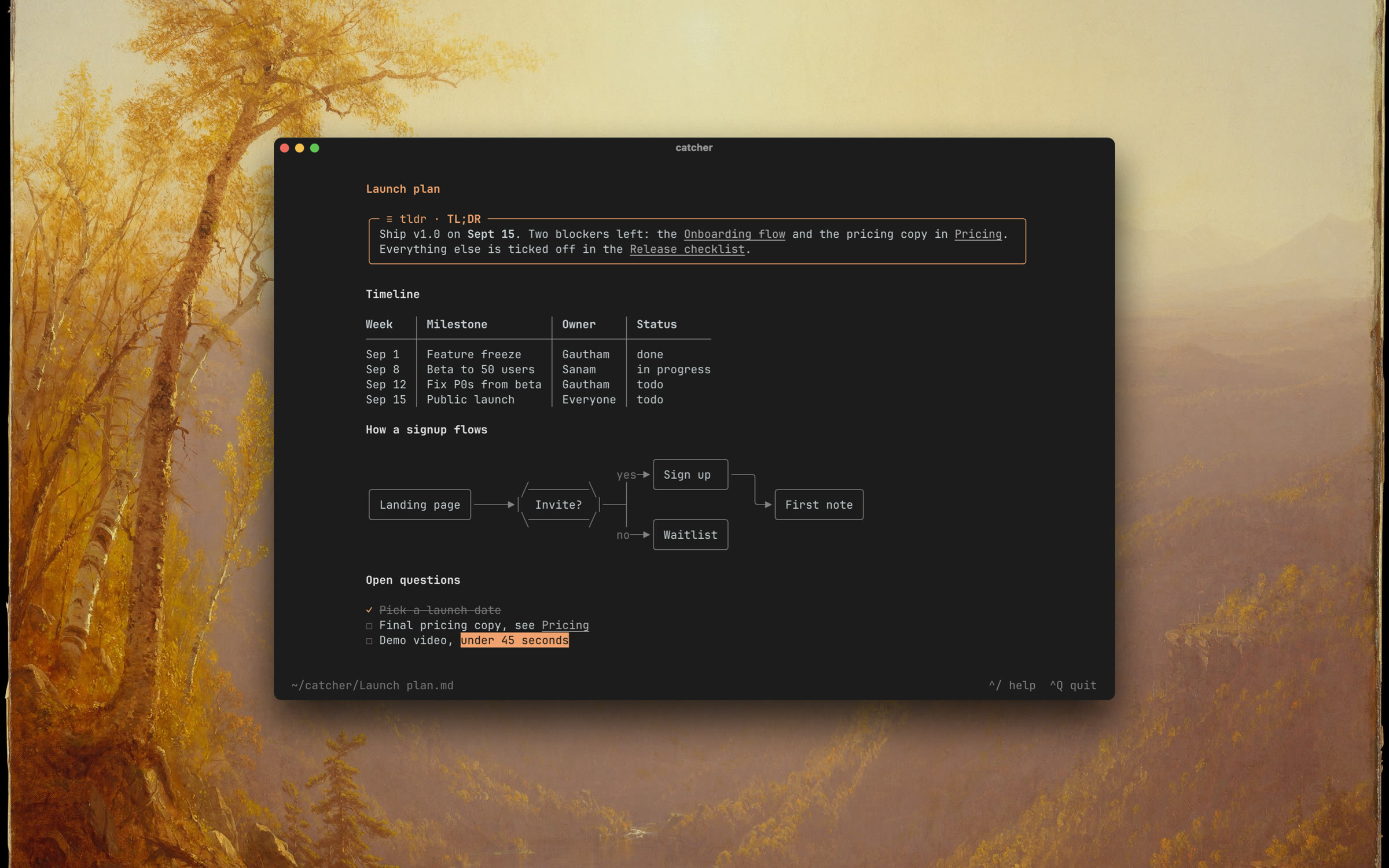
A callout, table, and Mermaid flowchart drawn as text in Catcher’s reading view.
Every time I wanted to write something down, I had to open Obsidian, find the note, write the line, then switch back.
This took a few seconds. It was still enough friction to lose the thought.
The obvious solution was Neovim. I tried it, but I did not want to spend a month learning an editor just to take notes.
I wanted something simpler. Markdown files, rendered nicely, inside the terminal.
I could not find that, so I built catcher.
Just markdown files
Catcher edits a folder of markdown files. There is no database and no custom format.
You can use ~/catcher or point it at an existing Obsidian vault. grep, git, Obsidian, and Catcher all read the same files.
If Catcher disappears tomorrow, there is nothing to export. Your notes are already yours.
brew install gautham-v/tap/catcher
catcher ~/your-obsidian-vault
Markdown that looks like a document
The editor works like Obsidian’s live preview. Markdown is styled while I type, but the line under the cursor shows its source.
^P switches to a reading view. The screenshot above is one markdown file. The box is an Obsidian callout. The timeline is a pipe table. The diagram is a mermaid fence.
Catcher draws all of them as text.
Wikilinks, backlinks, tags, checkboxes, front matter, and daily notes work too. These are the parts of Obsidian I used often, so these are the parts I built.
Search
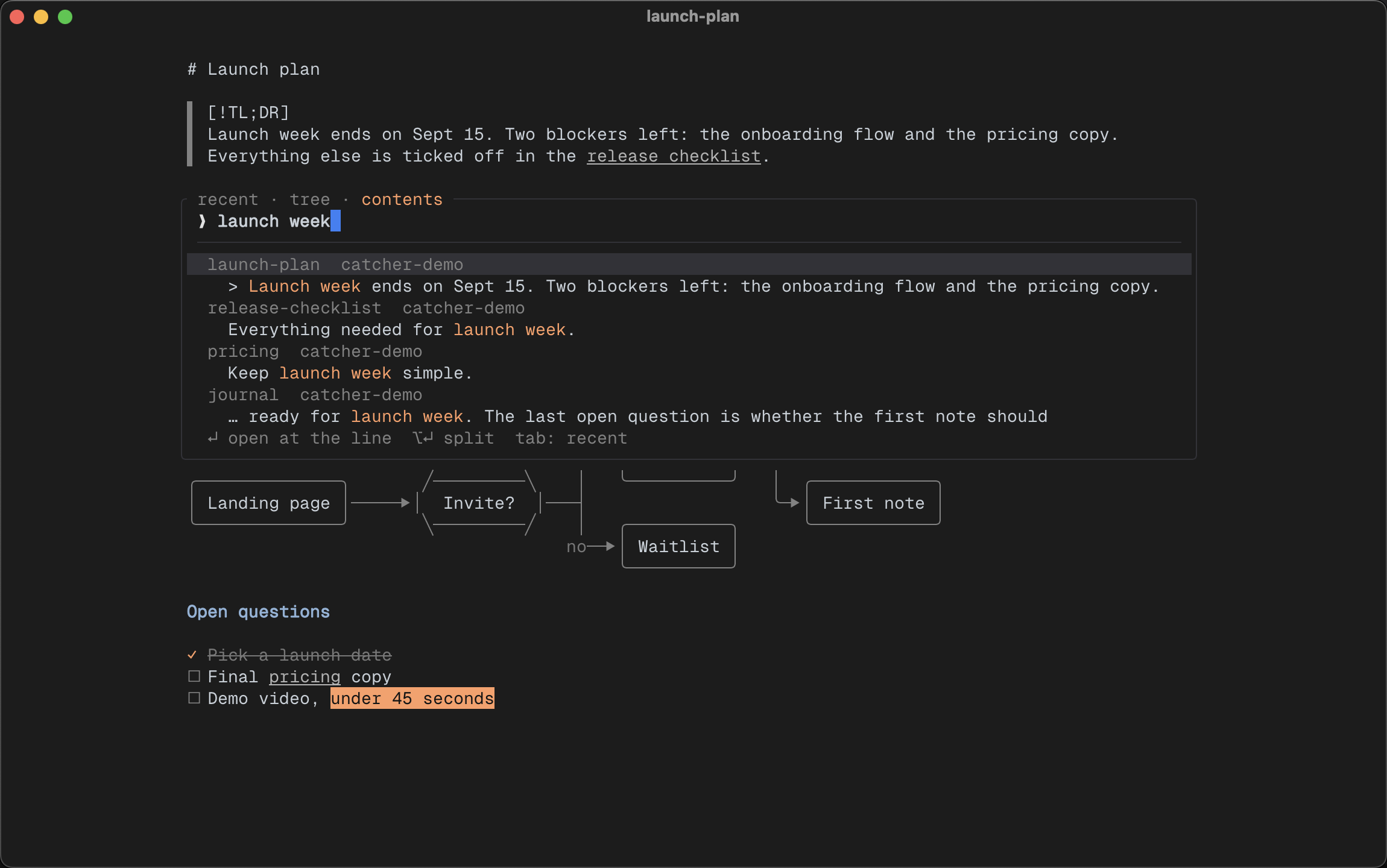
Search results stay over the current note. Enter opens the selected result on the matching line.
Search is the feature I use most.
I type a few words and Catcher shows every matching line, grouped by note. Enter opens the note on that line.
There is no separate results page. I find the line and keep writing.
Splits
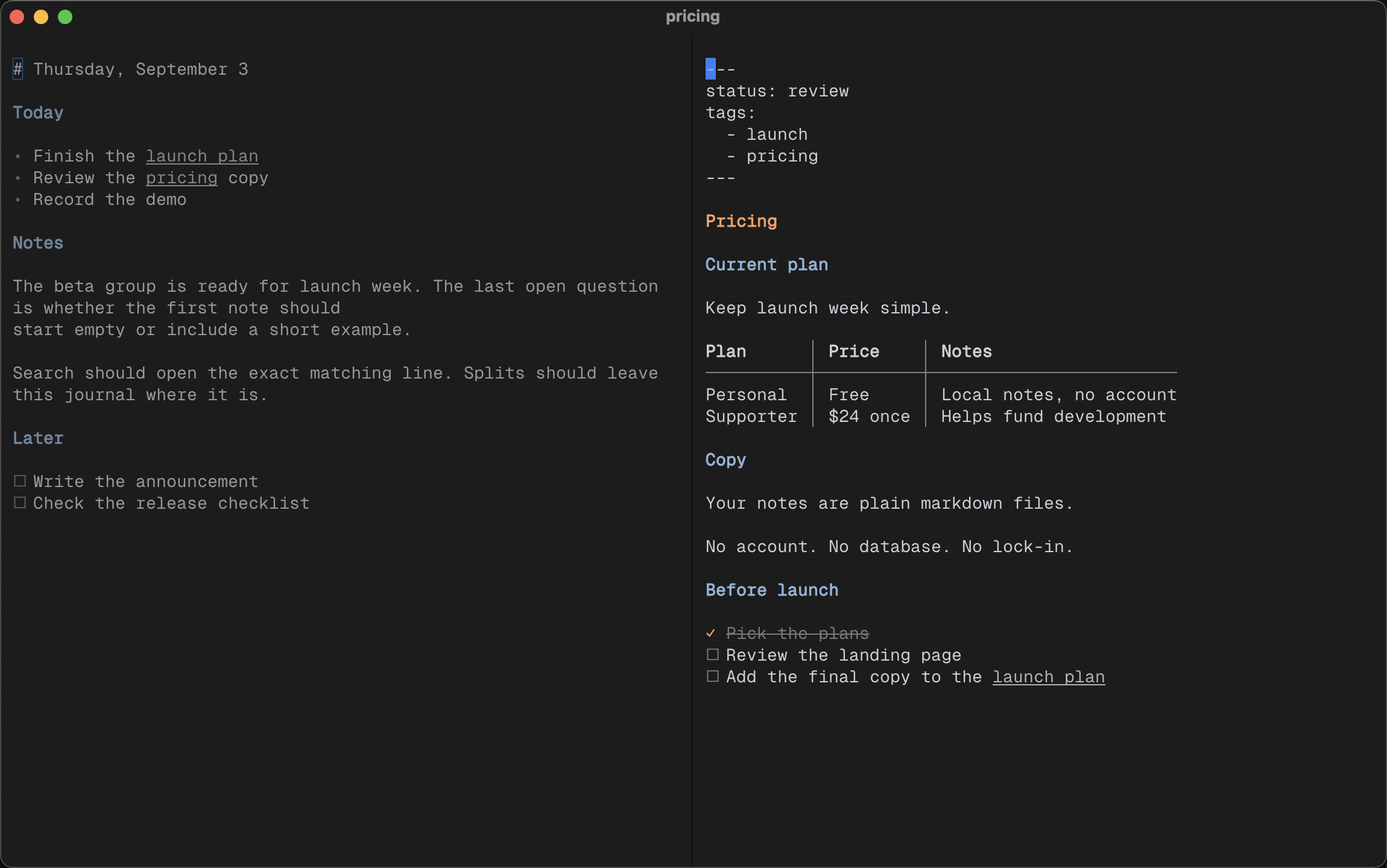
A journal and its pricing note open side by side in Ghostty.
⌥⏎ opens a result or wikilink in a terminal split.
Catcher does not manage the split. It asks Ghostty, tmux, kitty, or WezTerm to create one. The terminal already knows how to do this.
I keep a journal on the left and open related notes on the right. Both stay inside the place where I am already working.
Less interface
I had one rule while building Catcher: do not add something I will not use every week.
There is no sidebar, tab bar, plugin system, or database. When the command palette is closed, almost the entire screen is the note.
I also wanted the remaining interface to be adjustable.
The settings file is a markdown note. It controls the colors, layout, daily notes, and every key binding. Save the file and Catcher updates immediately.
I spent a long time adjusting my colors until the screen felt quiet. I did not want to force them on everyone else.
Local and open source
Notes can last longer than the app used to write them.
That made the product decisions simple. No account. No hosted service. No file format that only Catcher understands.
Catcher is one Rust binary and is MIT licensed. The files it edits were never Catcher’s files.
The name comes from The Catcher in the Rye. I liked the idea of catching a thought before it gets away.
brew install gautham-v/tap/catcher